Issue Overview:
-
Sandhurst reported an issue where items in Redmap are being stuck in 'Awaiting Export'.
- The CSV filing process is not working.
📌 Reference Ticket: Invoices Stuck in Awaiting Export Status
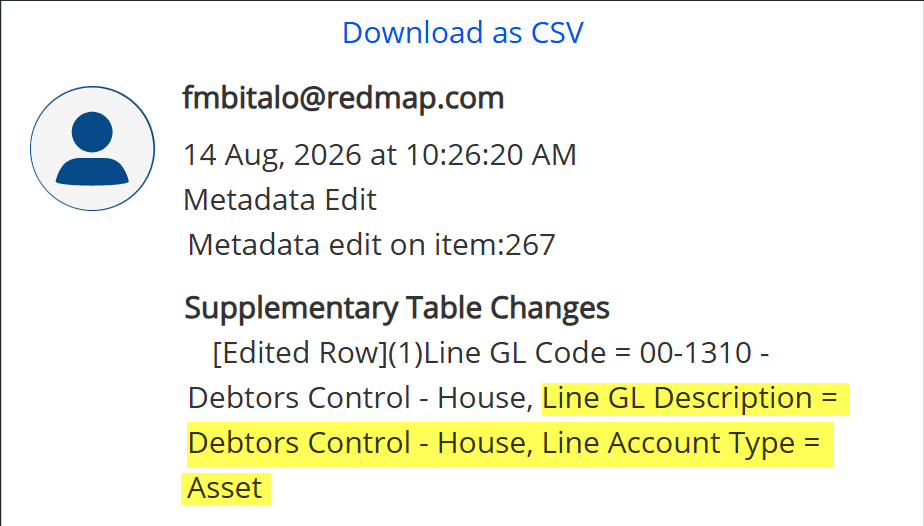
The CSV filing process couldn't complete its operation due to missing data of some of the invoices such as LineGLDescription and LineAccountType.

Troubleshooting Guide:
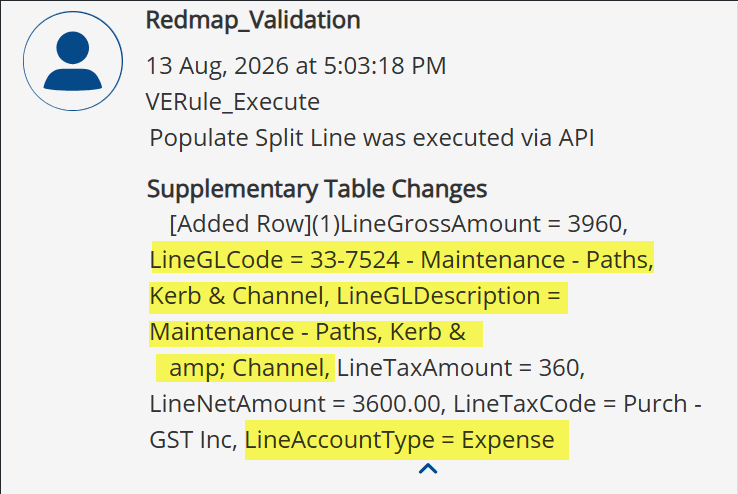
1. The 'Populate Split Line' is the validation rule responsible on auto populating the following fields based on the value of LineGLCode.
- LineGrossAmount
- LineGLCode
- LineGLDescription
- LineTaxAmount
- LineNetAmount
- LineTaxCode
- LineAccountType
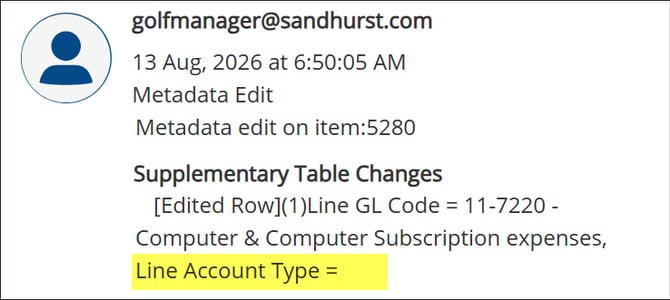
2. Check the audit of the reported item and confirm whether users updated the existing LineGLCode. If so, you should see in the audit where:
- The LineGLDescription did not update based on the updated LineGLCode.
- LineAccountType becomes blank.
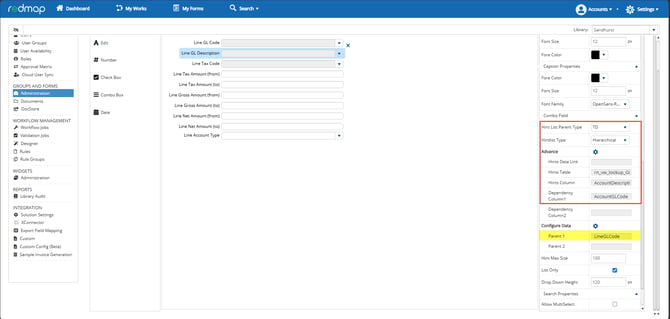
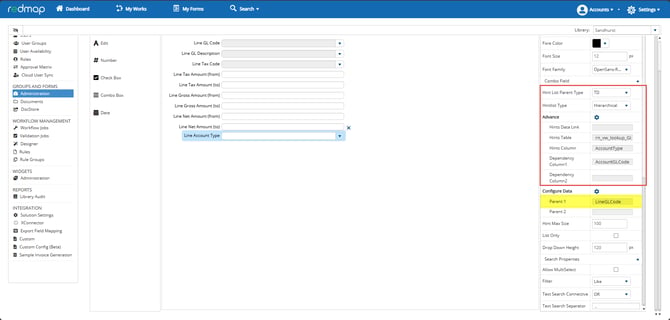
3. Check the field configuration of LineGLDescription and LineAccountType. Their setup should be hierarchical and dependent to LineGLCode.
To check the configuration:
- Login to Redmap
- Go to Settings and select for Library Settings
- In Library Settings, go to Administration
- Select for AccountsPayable
- Search for Supplementary Table > Invoice Lines > Edit
Important Note:
Apply the changes in UAT first, and ask the customers to do the testing and wait for their confirmation before deploying the changes in production.
Expected Behavior:
If users need to update existing LineGLCode during approval, the LineGLDescription and LineAccountType should update as well based on the updated LineGLCode value.
Initial Data:
Updated Data: